Website or Web App: What Does Your Business Actually Need?
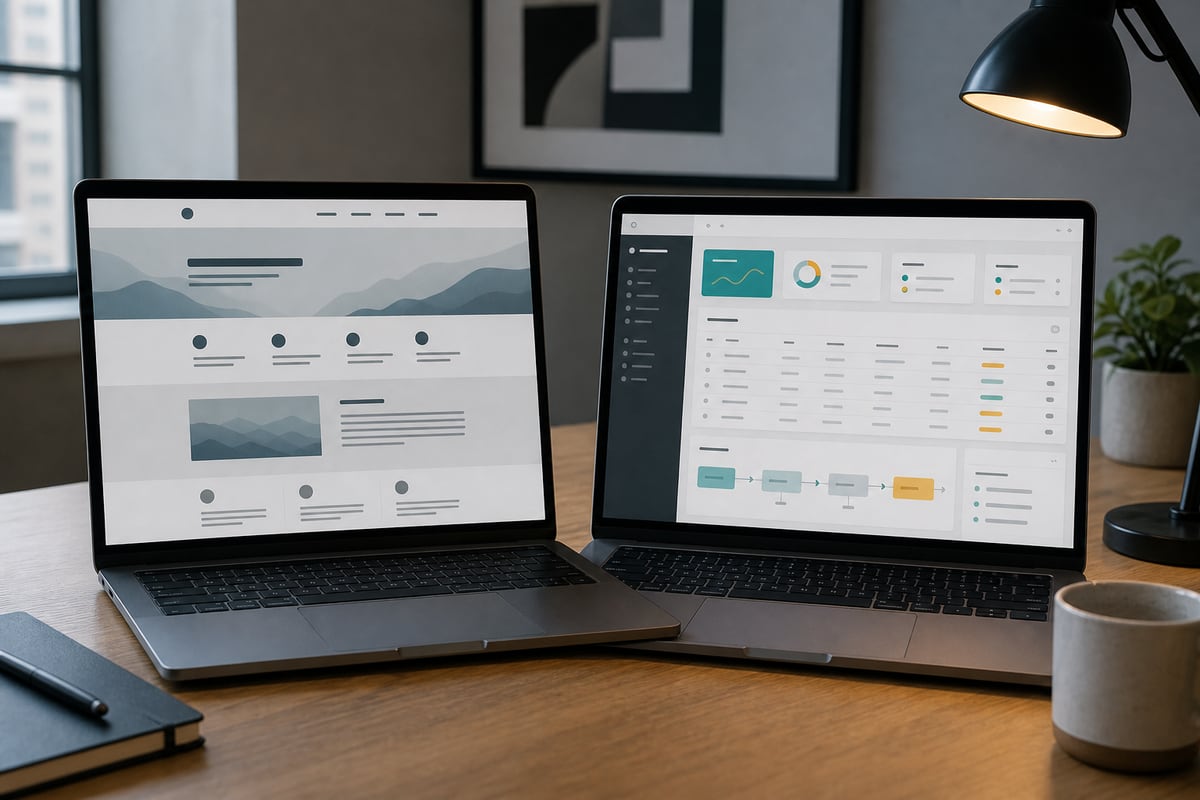
A website tells people something. A web app helps them do something.
That distinction is useful, but it is not quite enough. A restaurant website lets someone read a menu and may also let them reserve a table. A client portal explains the service and stores documents. A quoting tool can sit inside an otherwise ordinary marketing site.
Most businesses do not need to choose one label for the whole project. They need to identify the smallest part that must behave like software.
That decision matters because a web app costs more to build, test, secure, and maintain. Calling every interactive idea "an app" can inflate a straightforward project. Calling an operational system "just a website" creates the opposite problem: a cheap estimate for work that carries real data and responsibility.
What a website is good at
A business website has a public audience and a communication job. It helps a visitor understand the offer, trust the business, and take a next step.
It may include:
- service and product pages
- case studies, reviews, and team information
- a blog or resource library
- contact, enquiry, or newsletter forms
- a simple calculator or product finder
- an embedded booking or payment tool
The content is mostly the same for every visitor. People can browse without creating an account. The business updates pages, but visitors are not maintaining their own long-lived records.
That does not make a website basic or unimportant. A focused website can carry most of the commercial work for a consultant, restaurant, studio, trade business, or early product company. It is often the first thing to fix because it makes the offer legible before you automate anything behind it.
What turns it into a web app
A web app remembers state and applies rules to it.
The moment a customer signs in to see their own orders, an employee changes the status of a job, or a provider manages availability, the project has moved into application territory. Different users see different data. Their actions have consequences that persist after the browser closes.
Common examples include:
- a customer portal with accounts and documents
- an internal operations dashboard
- a marketplace connecting buyers and providers
- a booking system with staff, resources, credits, and cancellations
- an approval workflow
- inventory or order management
- a subscription product people use repeatedly
The cost is not caused by buttons and charts. It comes from identity, permissions, data quality, business rules, and recovery when something goes wrong.
A dashboard that shows the wrong customer record is not a visual bug. A status change that sends the wrong message can create real support work. A duplicated payment or booking needs an audit trail and a way back.
Five questions that reveal which one you need
1. Does the user need an account?
An account is a strong signal, though not proof on its own.
Ask why the account exists. If the only answer is "so the site feels exclusive," remove it. Accounts add passwords, access recovery, privacy decisions, support, and a reason for customers to hesitate.
An account earns its place when a person returns to their own data: orders, files, saved work, messages, bookings, credits, or preferences.
2. Does information change after someone acts?
A contact form sends a message and is done. A project request that moves from submitted to reviewed to approved has state.
List the states in plain language. If the list includes rules about who can move something, which message is sent, or what should happen after a deadline, you are describing an application workflow.
This is why we recommend prototyping the awkward screen first. The cancelled order, rejected request, or missing document tells you more about the system than the tidy dashboard home.
3. Do different people have different permissions?
Public visitor and site editor is normal website territory. Customer, provider, manager, finance, and administrator is an application.
Permissions deserve more attention than a role dropdown in a settings page. Can support staff view payment information? Can a provider see another provider's customer? Can a former employee still download reports? These rules shape the data model and the test plan.
4. Must it connect to other systems?
One form sending to an email address is a small integration. A workflow keeping a CRM, payment processor, calendar, and internal database aligned is not.
Every connection creates another version of the truth and another failure case. Decide which system owns each fact. If an address changes in the CRM, should it update the portal? If a refund happens in the payment tool, who changes the order state?
An integration can be the right choice. It just needs to be estimated as operational behavior, not a decorative connector between two boxes.
5. What happens if the system is unavailable for an hour?
This question clears the fog quickly.
If people cannot read your About page for an hour, that is inconvenient. If staff cannot dispatch work, customers cannot access a paid service, or two people can reserve the same resource, the project needs application-level attention to reliability and recovery.
The more money, access, safety, or daily operations depend on it, the less useful a website-sized process becomes.
The hybrid is often the right answer
A public website with one focused tool is a strong first version.
A property firm might need a good marketing site plus a private document area. A clinic might use a public service site with an established scheduling product. A manufacturer might add a quote builder without rebuilding inventory management. A consultant might offer a client portal only after the sales site and delivery process are working.
This keeps the expensive software boundary small.
It also lets the business learn. A short enquiry form may prove that customers need guided quoting. An embedded booking tool may reveal the two scheduling rules that existing products handle badly. Build the custom part after the real friction becomes visible, not before.
Our article on a website as a decision tool covers the public side of that approach. A useful website can calculate, filter, recommend, or prepare an enquiry without becoming a full application.
How the budget changes
A marketing website is largely a content, design, and publishing project. The team can define pages, review them, test the forms, and launch.
A web app adds product work:
- workflow and data modelling
- account and permission design
- application screens for unusual states
- integration and failure handling
- security and privacy review
- automated and manual testing
- monitoring, support, and ongoing releases
The first version also creates an obligation. Once customers or staff rely on it, maintenance is not optional.
That is why an honest studio may recommend a $4,000 website instead of a $20,000 portal, even when the portal would be a larger invoice. Software should be bought because it removes a proven constraint. Otherwise it is an expensive new place to store uncertainty.
A one-page test before you request quotes
Write four headings:
Audience: Who uses this?
Action: What can each person do?
Record: What must the system remember?
Consequence: What goes wrong if the action or record is wrong?
If the record section is almost empty, you probably need a website with a few useful interactions. If every action changes records and the consequences affect money or operations, plan for a web app.
Then cut the first version. Remove any role, integration, or automation that is not required to complete the core job. A small application that handles one workflow properly is more valuable than a broad portal made of unfinished promises.
If you are caught between a website quote and a software quote, bring us the one-page test. We will help you draw the boundary and price the part that actually needs to exist.
Ready when you are.
Plan the right-sized buildGet the next one in your inbox
Occasional, practical notes on building sites that sell. No spam, unsubscribe anytime.
Keep reading
Premade Template vs Custom Build: Which Is Right for You
A template covers about 80 percent of small businesses. Here is a simple rule for knowing when you are in the other 20 percent and should build custom instead.

Next.js vs WordPress for a Small Brand Site
An honest developer's take on Next.js vs WordPress for a small brand: who each is for, editing, speed, security, cost over time, and the headless trap.