Best Portfolio Templates for Designers and Photographers

A good portfolio template is mostly invisible. You should notice the work first, then, a second later, realize the page around it was quietly doing its job.
That sounds obvious. It is not how most portfolio templates behave. A lot of them arrive stuffed with animated gradients, floating shapes, three different accent colors, and a hero headline that says something like "Creative. Bold. Different." The work ends up fighting for room against the design that was supposed to frame it.
So before I get into specifics, here is the one rule I keep coming back to: the template's taste should be quieter than yours. If it has more personality than your photographs or your case studies, it will read as the star, and clients will remember the template instead of you.
What actually makes a portfolio template good
Strip away the marketing and a strong portfolio template does four things well.
The work is the hero. Big images, room to breathe, and a grid that does not crop your compositions into awkward squares. Generous whitespace is not decoration here. It is what tells a viewer's eye where to rest, and it is the cheapest way to make ordinary work look considered.
It loads heavy images fast. This is the part people skip when they buy on looks alone. A portfolio is, by weight, almost entirely photographs, and a photograph is a big file. If the template does not lazy-load images, serve modern formats, and hold layout space so the page does not jump around while things load, your beautiful gallery becomes a slow, janky scroll on a phone. Our portfolio templates handle image performance as a default, not an afterthought, which matters more than any single visual flourish.
There is an obvious way to hire you. I have seen portfolios with stunning work and no clear next step. A single, confident contact or hire path near the top and again at the bottom does more for your income than another animation ever will.
It shows restraint. One typeface family, maybe two. One accent color. Consistent spacing. The design gets out of the way. When you review a template, imagine your worst-lit photo or your least glamorous project in it. If the layout still looks calm, it is a keeper. If it only looks good with the demo content, that is a warning.
Photographers and designers want different things
People lump these two together because both need a "portfolio," but the day-to-day needs pull in different directions, and the right template leans one way.
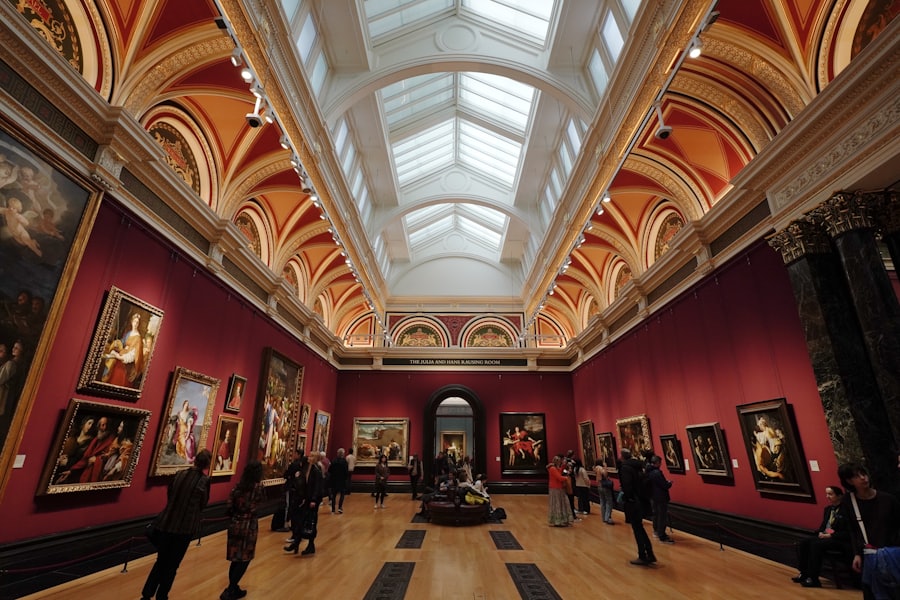
A photographer is running a gallery. The core question is how images are displayed and how fast they load. You want full-bleed layouts, the option for a lightbox or a clean fullscreen view, and grids that respect portrait and landscape shots without forcing everything into the same box. Categories help too: weddings, editorial, travel, whatever your buckets are, so a client looking for one kind of work is not scrolling past the rest. Performance is the whole game. A photographer's site lives or dies on how a gallery of large images feels on a mid-range phone over ordinary mobile data.
A designer is telling a story. The portfolio is really a set of case studies, and the template needs to support that shape: a project cover, the problem, a few process shots, the outcome, and enough structured room for a paragraph or two of writing. Designers get hired on their thinking as much as their pixels, so the layout has to make reading pleasant and give screenshots and mockups a frame that does not distort them. A grid of pretty thumbnails with no way to go deeper undersells you.
Plenty of creatives sit in the middle. An illustrator, a motion designer, a brand studio. For those, look for a template that does both jobs competently: strong image grids and a real project detail layout. If you are still deciding whether a portfolio, a small store, or a landing page is the right shape for what you do, our piece on how to choose a template that doesn't look generic is a good next read before you commit.
Quick gut-check when you are comparing options:
- Does the demo look calm with a single, average project, or only with a full curated set?
- Can you picture your longest case study and your widest panoramic photo both fitting without a fight?
- Is the "hire me" path obvious within the first screen, and again at the end?
Buying, and then making it yours
A template gets you eighty percent of the way. The last twenty is where it becomes yours: your typeface, your color, your real projects swapped in for the demo, your voice in the about section. Budget an afternoon for that. The people who skip it end up with a site that reads as a template, which is the one outcome you were trying to avoid.
A word on fit. A portfolio does not need a store or a booking engine bolted on. If you sell prints or products, that is a different tool, and browsing the online-store templates is the better starting point. Keep the portfolio a portfolio. Mixed-purpose sites tend to do neither job cleanly.
My honest advice: pick the plainest template that still moves you a little. The restraint you might read as "boring" in the demo is the same restraint that will let your work carry the page a year from now, after the trends that dated the flashier options have passed.
If you want a hand narrowing the list, or you would rather have something built around your exact work instead of adapting a template, tell us what you do and we will point you at the right starting place. And when you are ready to look, browse our portfolio templates with that one rule in mind: the work should be the loudest thing on the page.
Ready when you are.
Browse portfolio templatesGet the next one in your inbox
Occasional, practical notes on building sites that sell. No spam, unsubscribe anytime.
Keep reading

Best Hotel Website Templates in 2026: What Actually Matters
A practical template guide for hotels, guesthouses, and stays that need more direct bookings, fewer confused calls, and a site guests can trust on a phone.
Best Gym and Fitness Studio Website Templates in 2026
What a gym site actually has to do (schedule, trial offer, proof), the template features that matter, and the ones we would pick for studios, PTs, and gyms.